

Advanced Queries of Property Data in Postman
This will walk you through querying the Property Database using Postman!
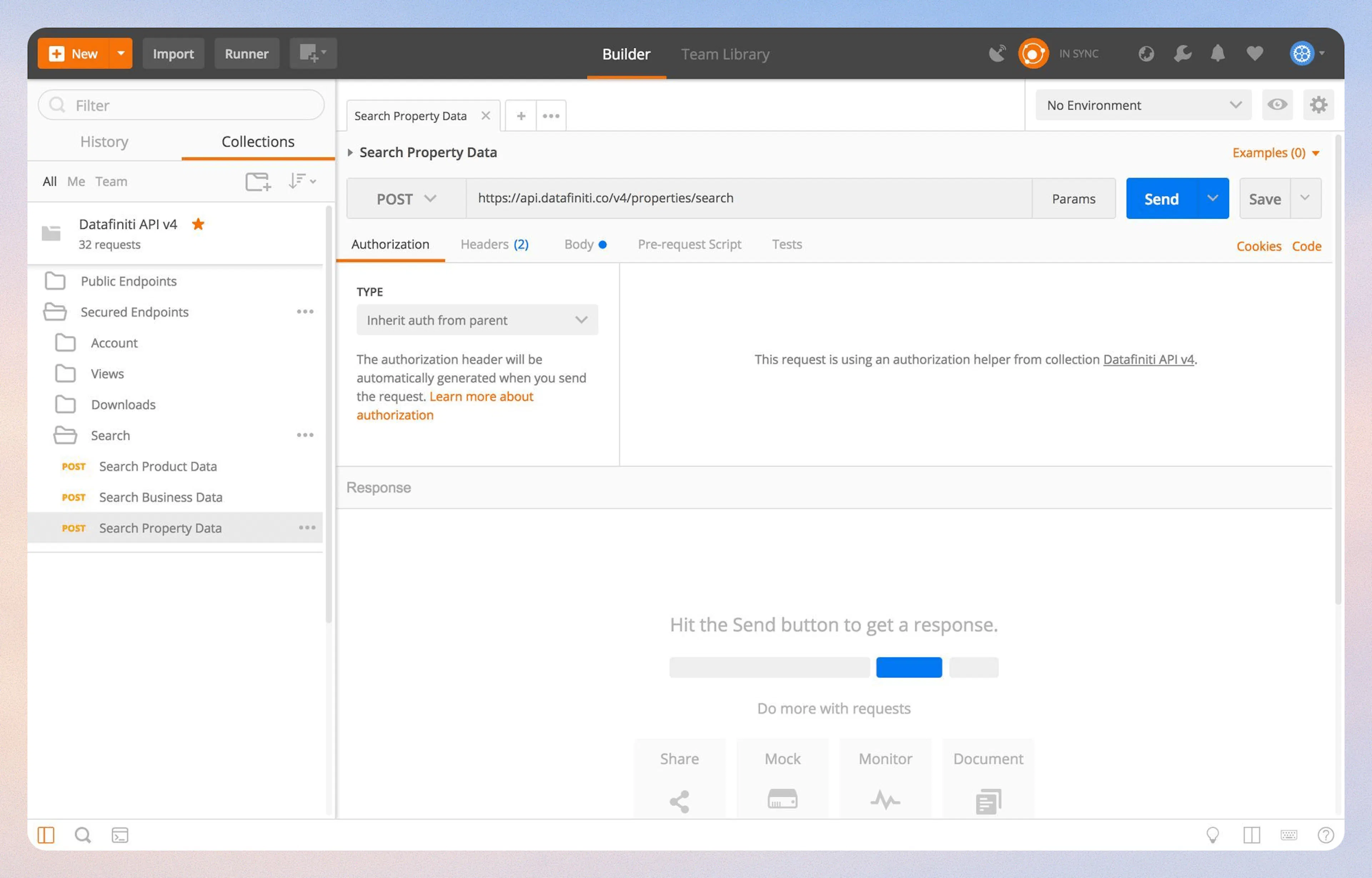
1. Select the Property Database
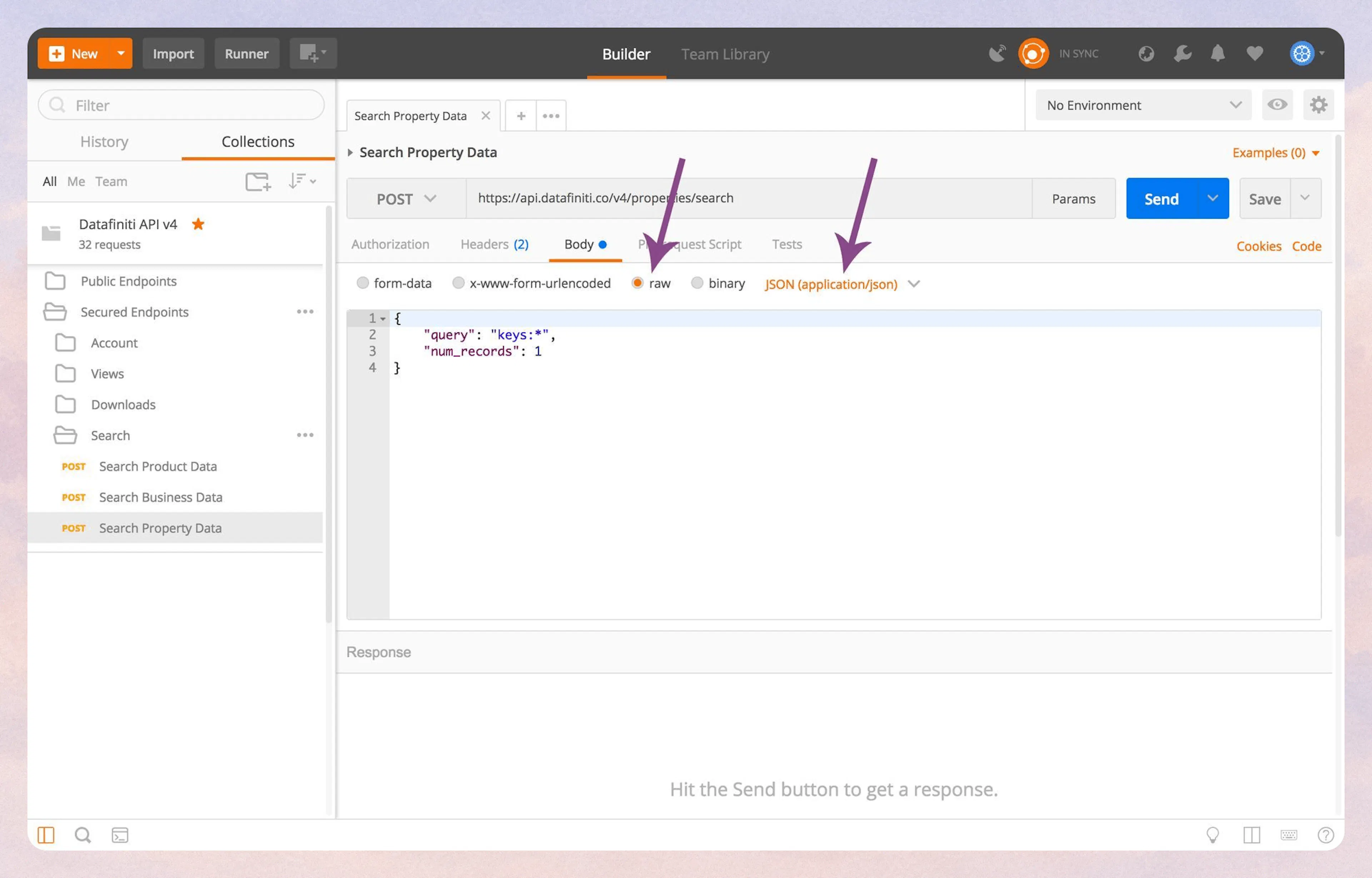
2. Setting the Stage
3. Running a Query
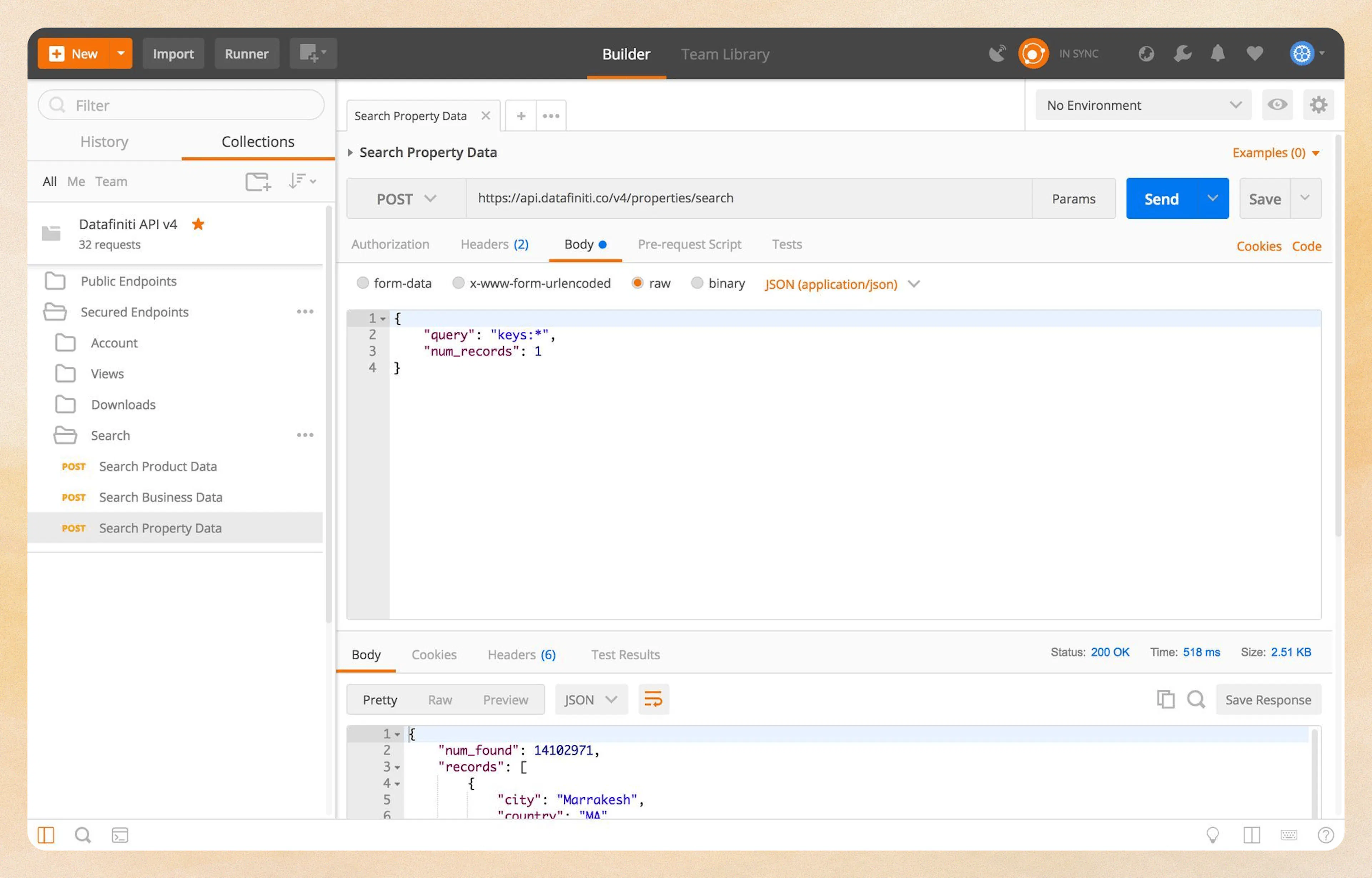
The "Wild Card"
Using ***** in your query will search for any possible value that could fill that spot. In the above case, it is essentially saying "Find all records that have a key value set to anything"
You can query the database using most of the fields in the Property Data Schema.
4. Narrowing The Search
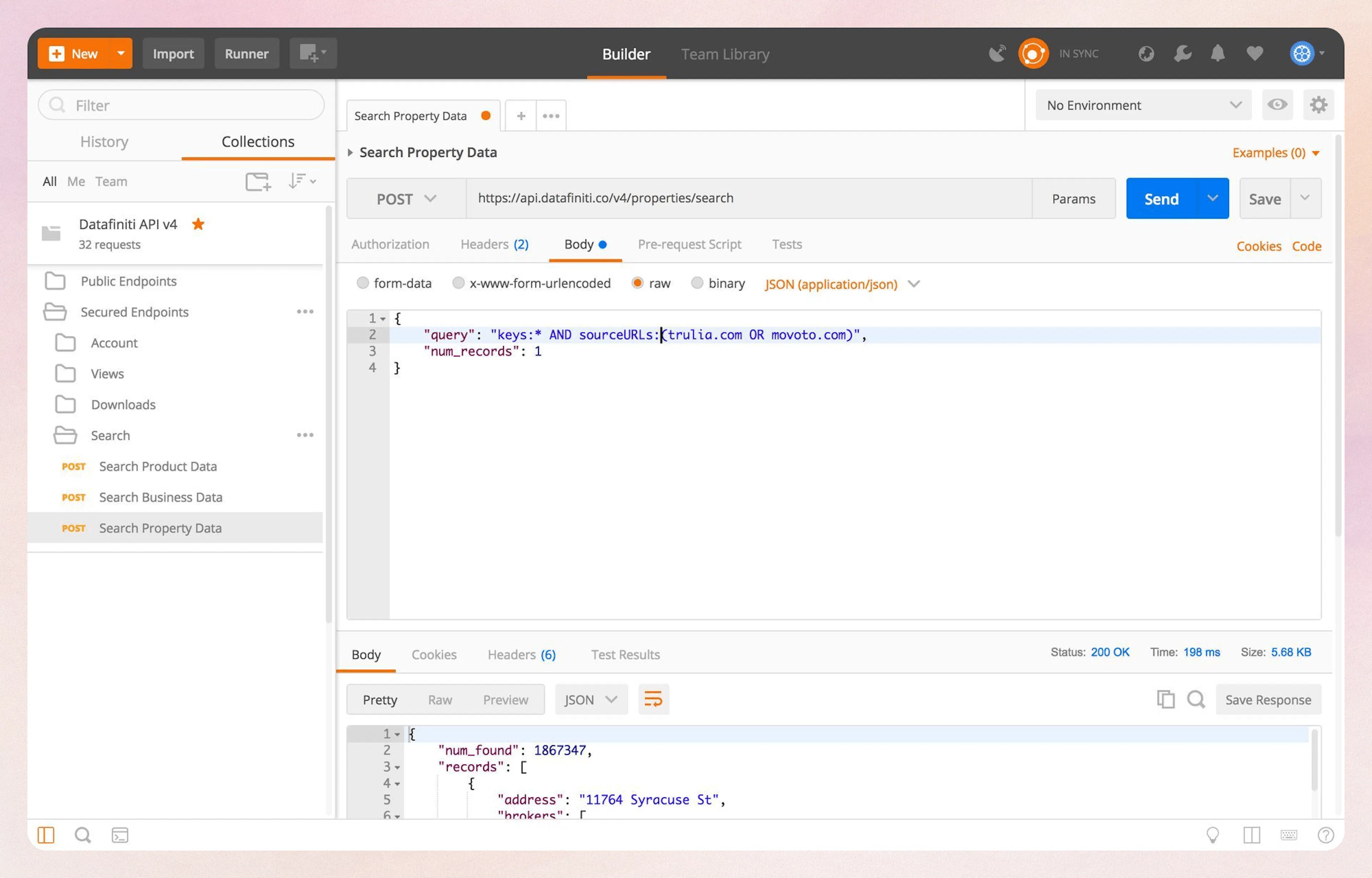
5. Using "" Inside the Query String
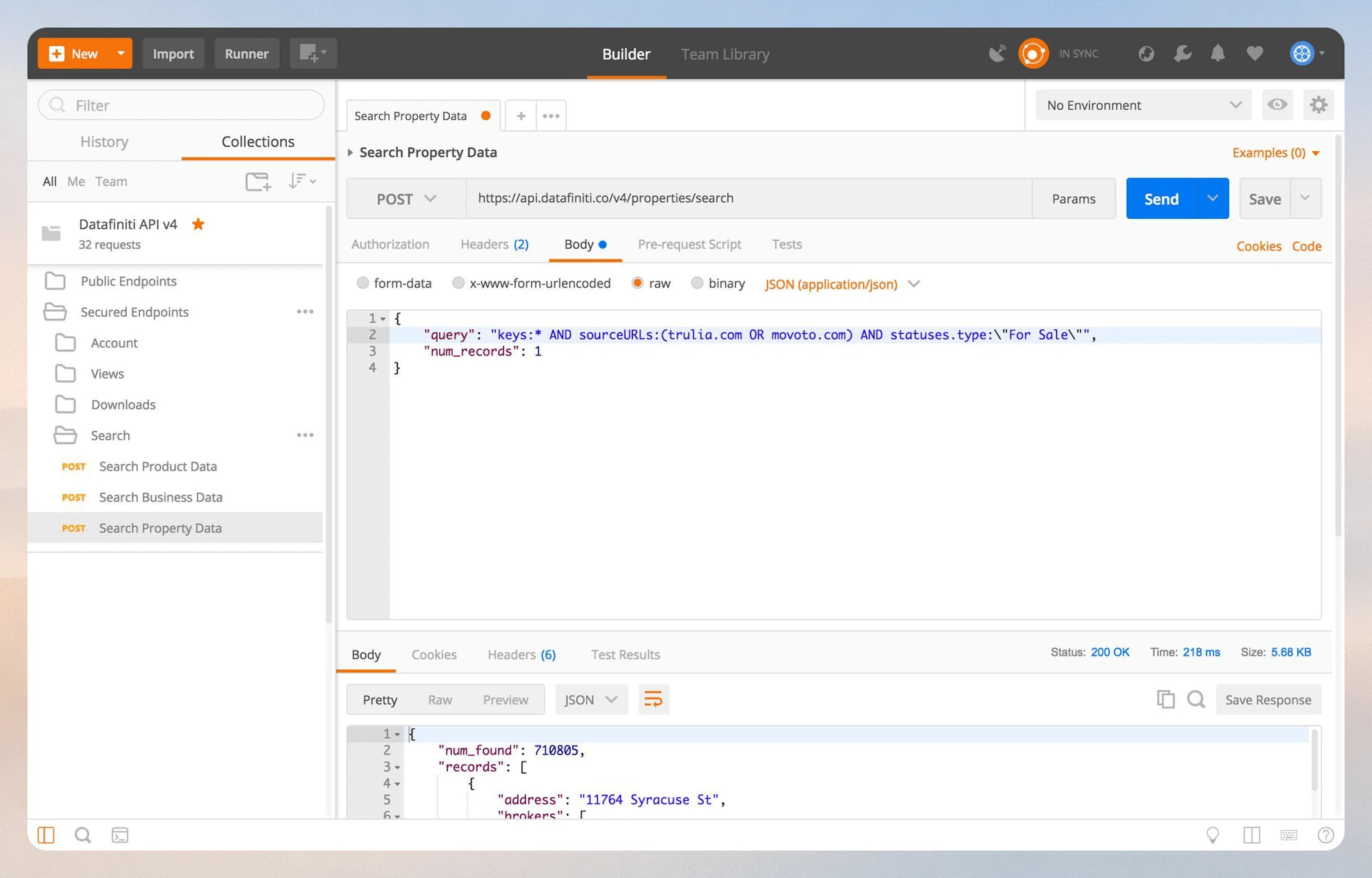
6. Additional Specifications
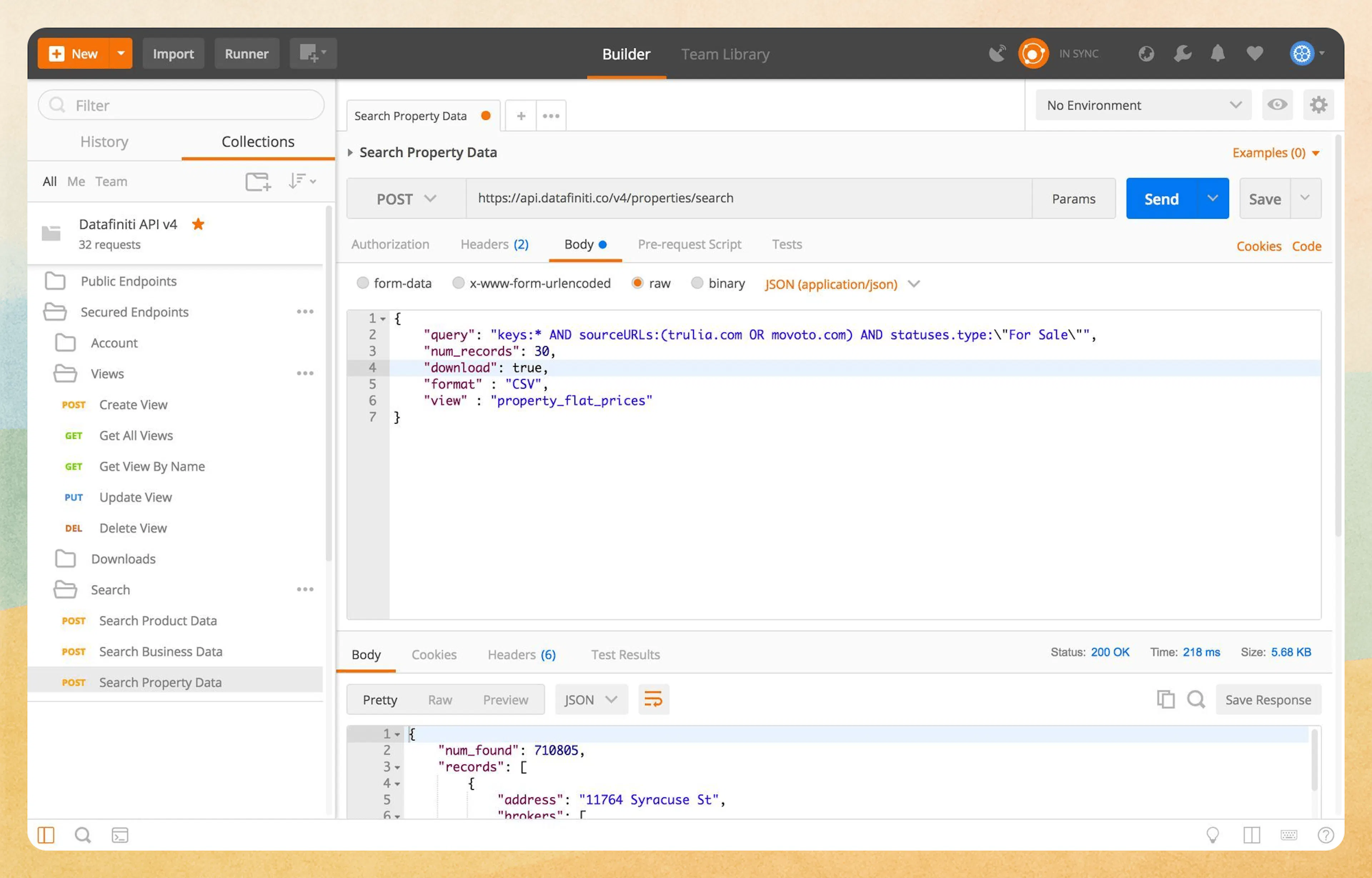
View
Setting your "view" not only changes the layout of your result file, but also changes how you see the records in Postman.
7. Custom Views on the Fly
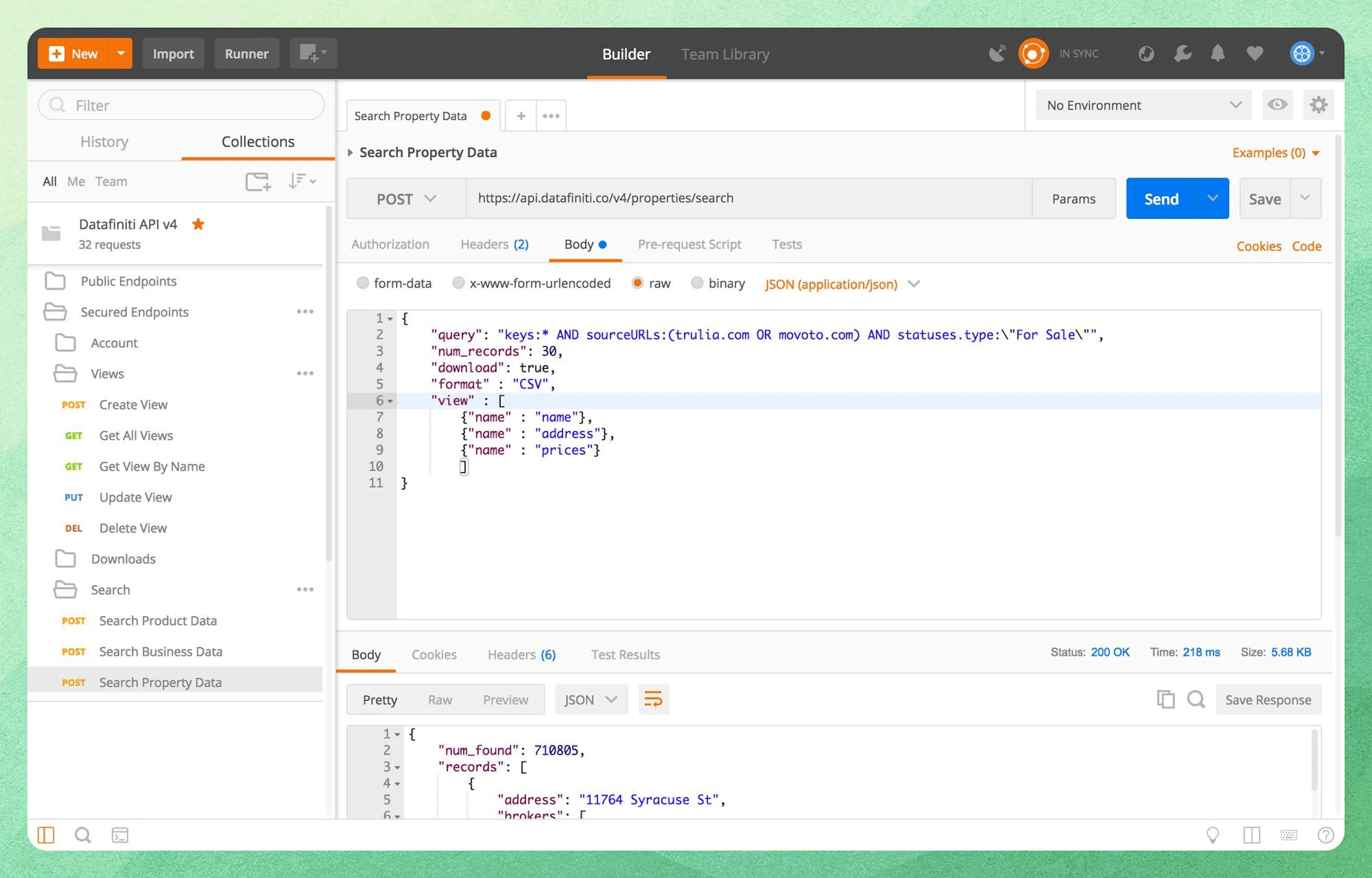
Custom View Formatting
When creating the "view" object, put the entire thing inside of [ ], with each field being called inside of { }. If you are listing multiple fields, put a comma after each one except for the last one. See the screenshot above for an example.
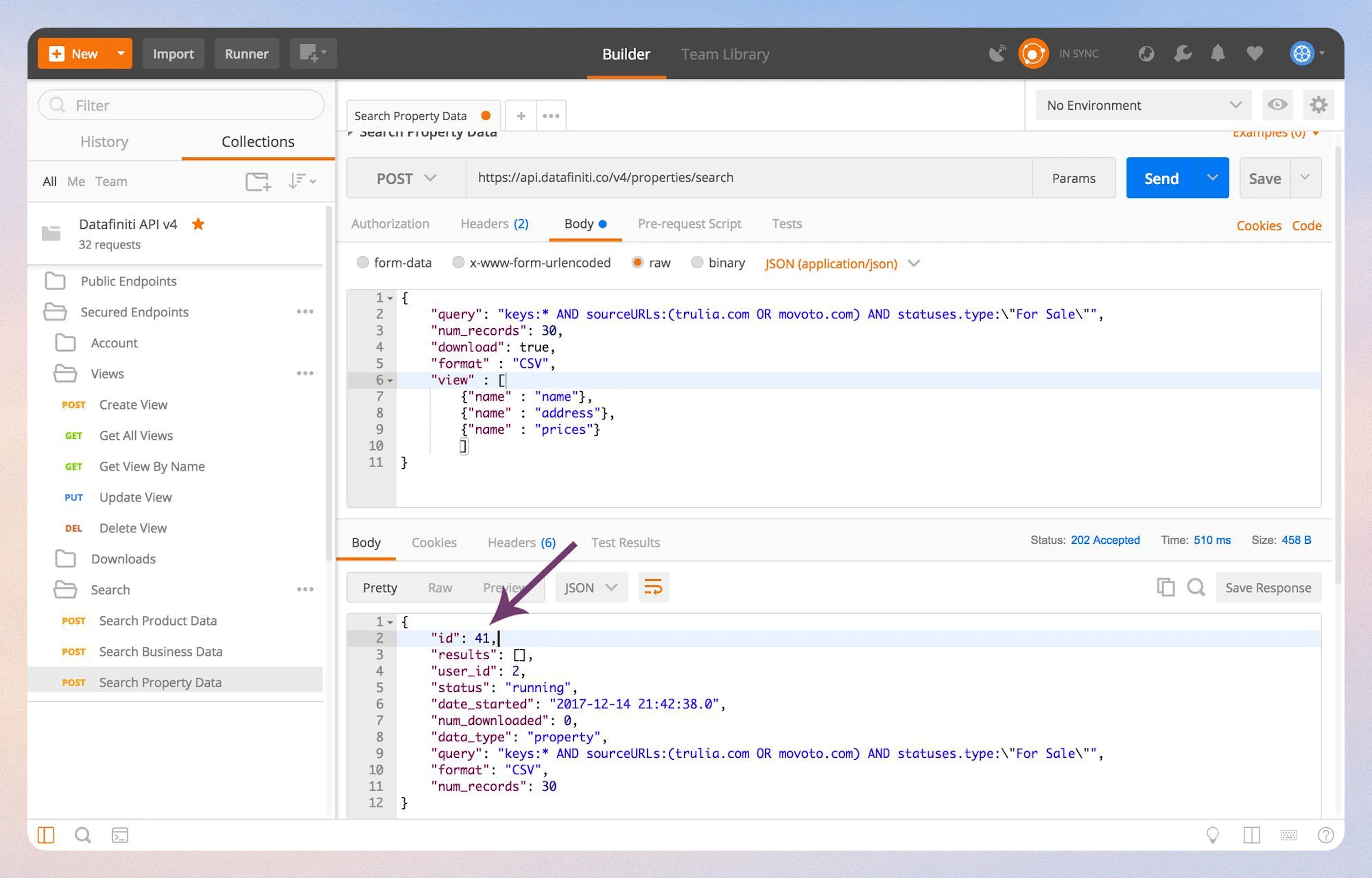
8. Getting Your Download ID
Was this page helpful?