

Determine home values - Portal
Introduction
Many Datafiniti customers are interested in using our data to determine the value of a single home or the expected value of homes within a given area. There are a couple ways to do this.
Option 1: Download data for all homes in an area
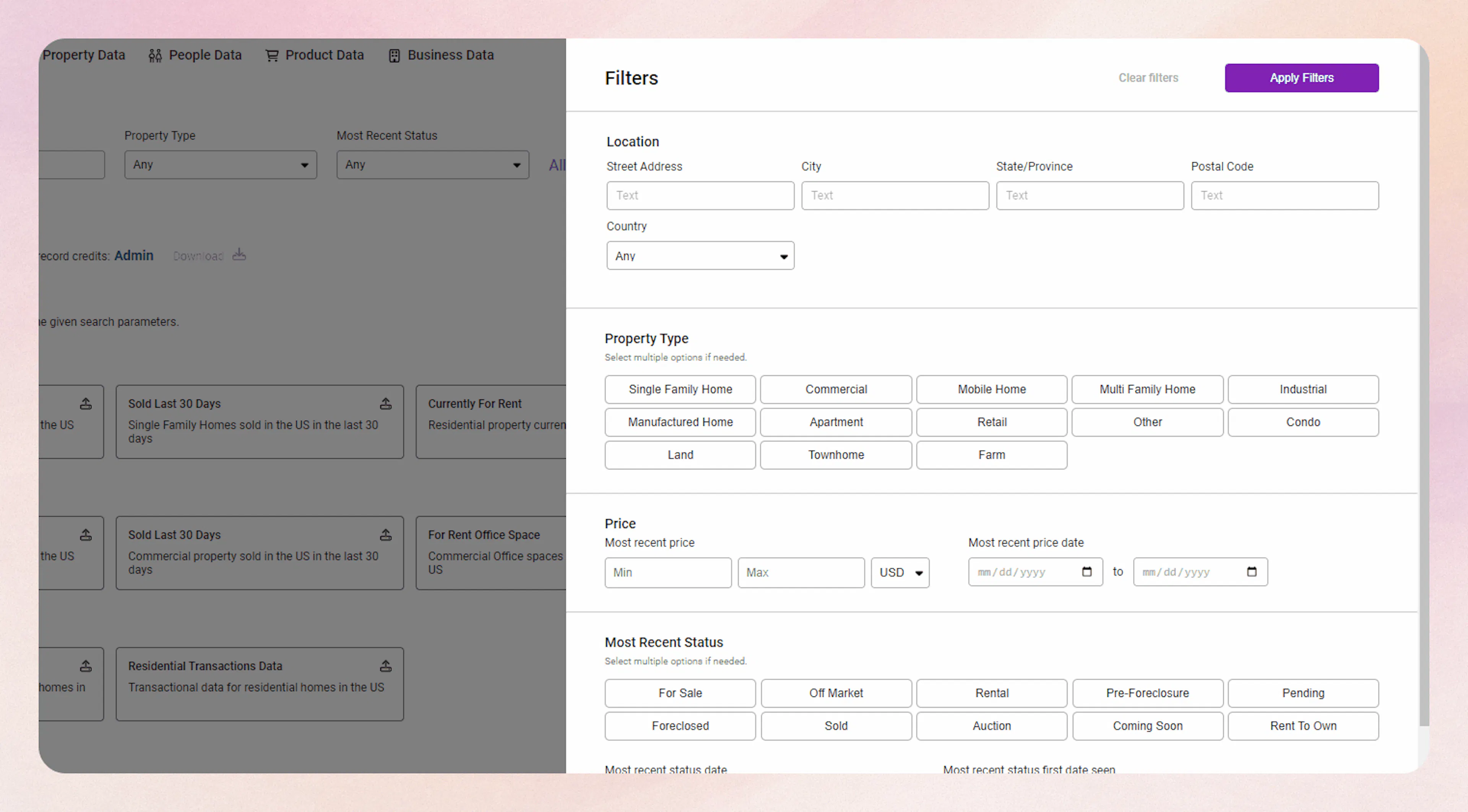
One way to do this is to download data for all the homes in a given area. Let's start with something simple, we will search for the following requirements.
- property - single family dwelling
- most recent status - For Sale
- postal code - 78722
- date updated - anything older than 2023
Option 2: Find comparable homes to a single property
Let's say you have a property in mind and you want to use similar properties to determine the value of the home. First off, if we don't have the features of the property in hand, we can try looking them up in Datafiniti. We will use the following address for this example:
- 123 Main St, Austin TX, 78613
This will return something like:
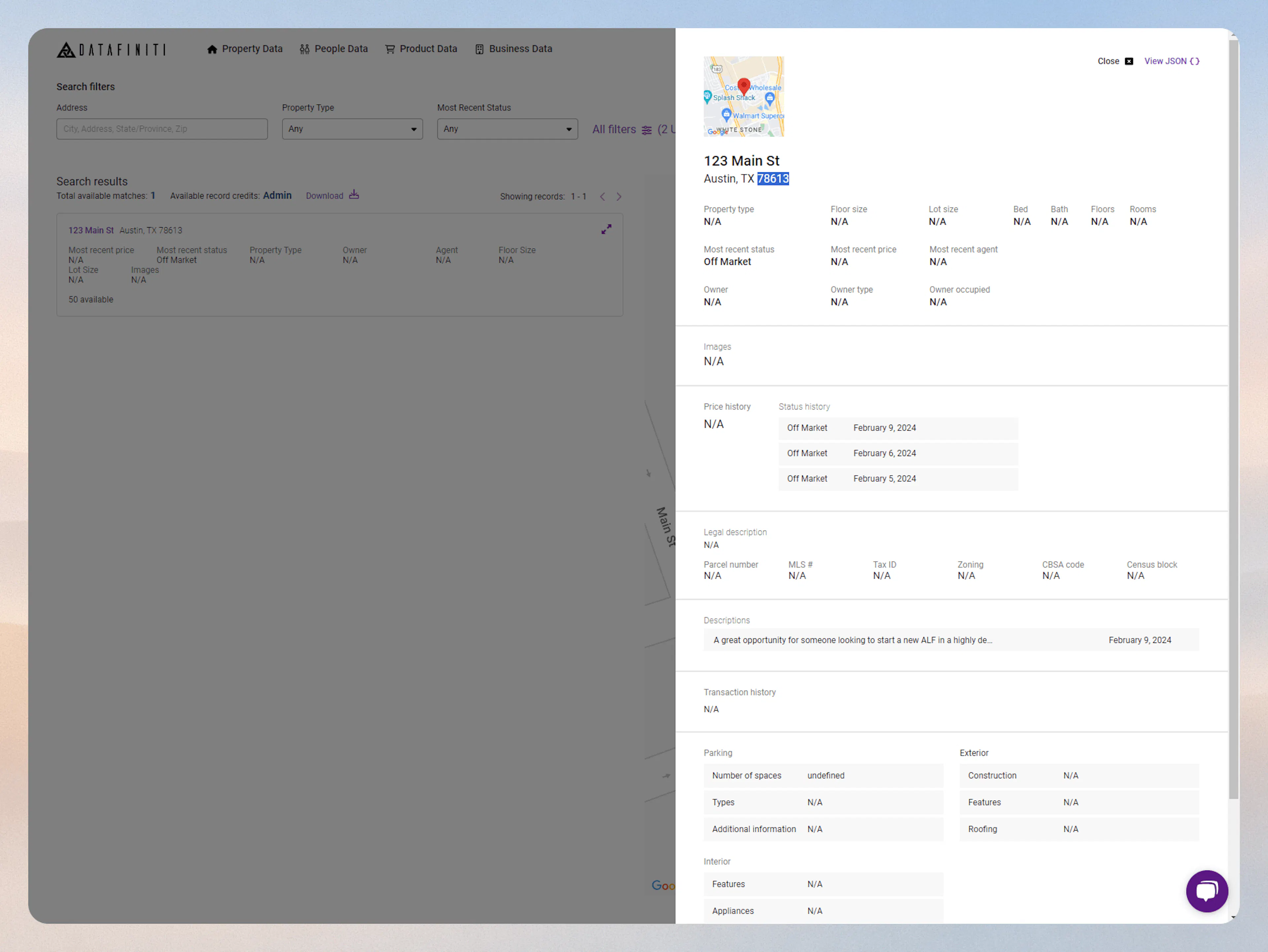
From here, we can grab some fields that are most commonly used to compare properties:
{
  "numBedroom": 2,
  "numBathroom": 3,
  "propertyType": "Single Family Dwelling",
  "yearBuilt": 2020
}
This can be found in the json view here:
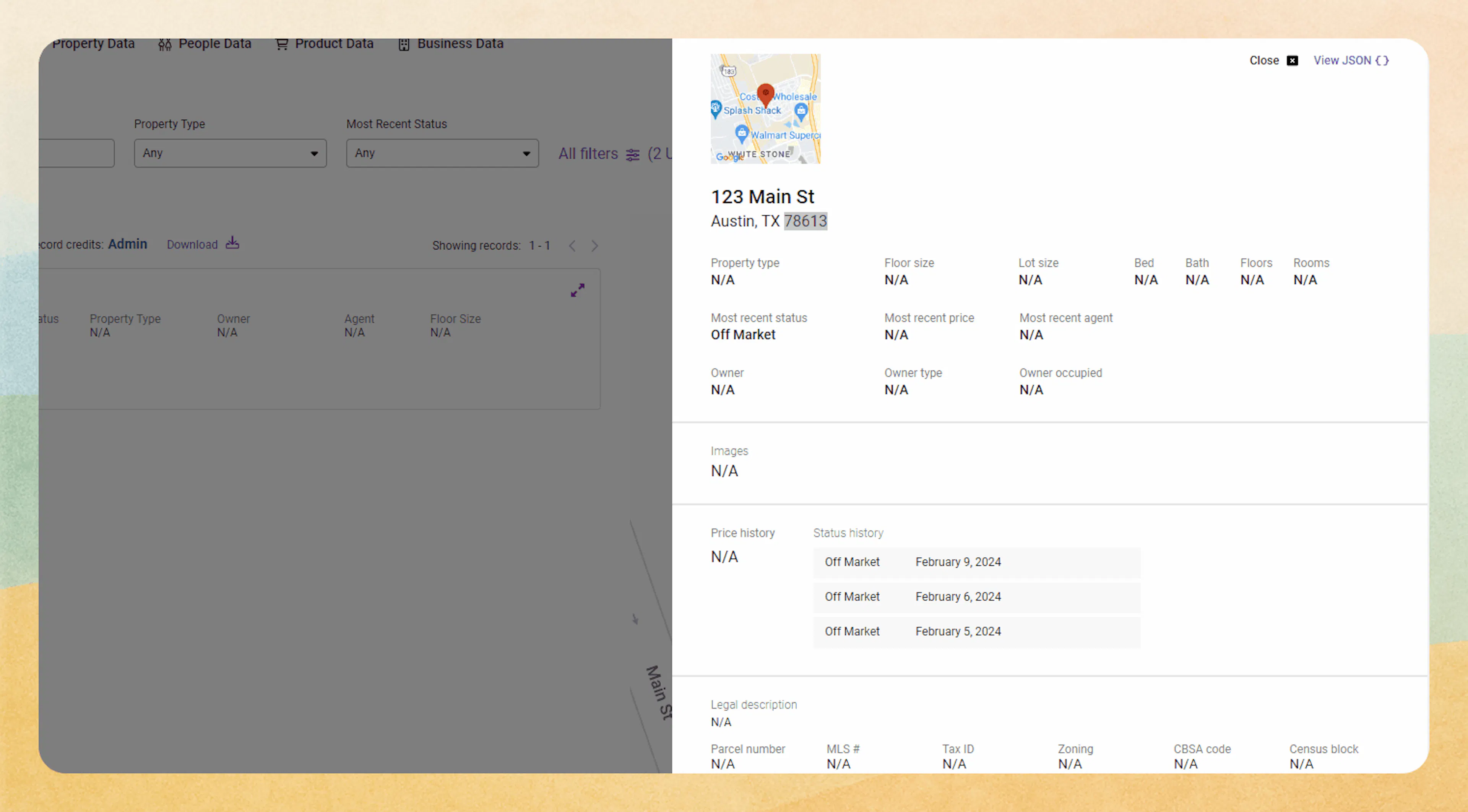
Json view - credits
Please note that using/viewing the Json view does consume one credit.
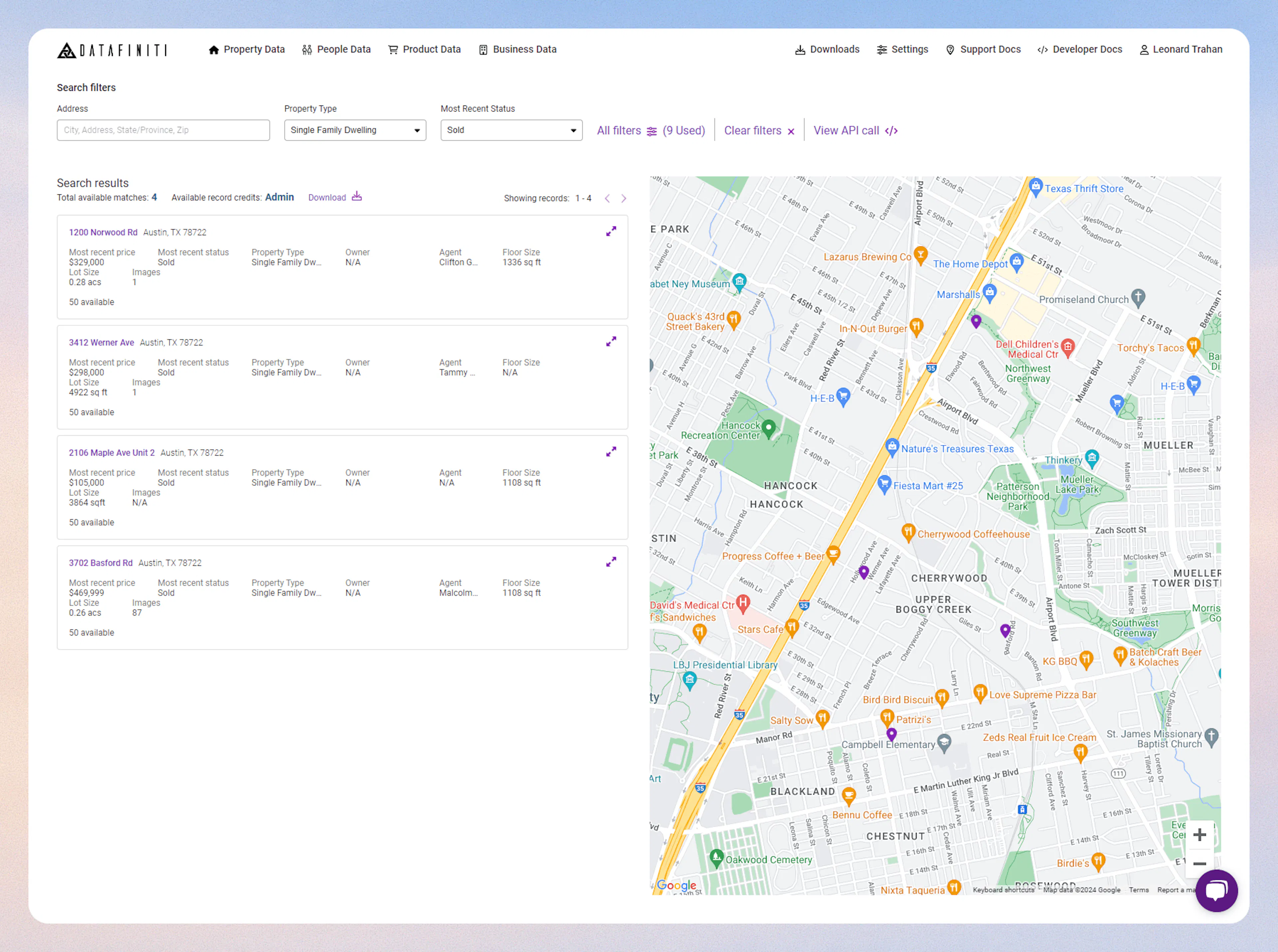
Based on the parameter we found in the JSON view we search similar comparable homes within the same postal code. We will use the following filters:
- postal code - 78722
- property type - single family dwelling
- numBedroom - 2
- numBathroom - 2
- yearBuilt - >=2020
- Sold within the last 30 days (based on mostRecentStatus = Sold)
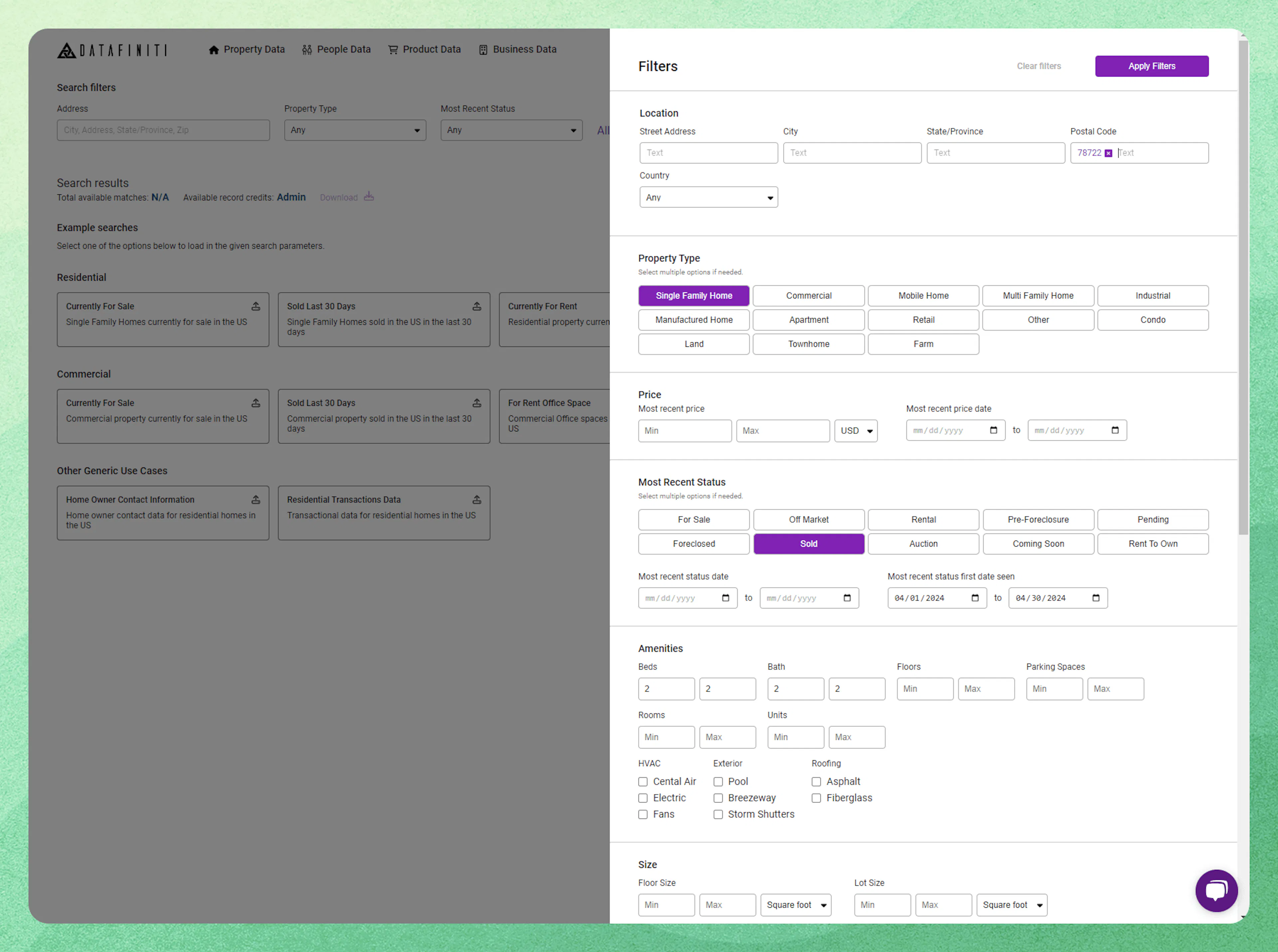
From here we can download/view the comparable home withing the same parameter as the example property.
Conclusion
You should now understand how to use Datafiniti Property Data to determine values for homes. There are several Datafiniti customers that take these approaches to help power business needs like lending, underwriting, and other investment decisions. Now you can too!